
دقیقه ها

درباره سایت
آخرین مطالب
امکانات وب
روشهای جلوگیری از هک تلگرام و میخوام بگم و اگر تونستم روشهای
جدید اومد باز هم در این آپ میزارم
روش اول :
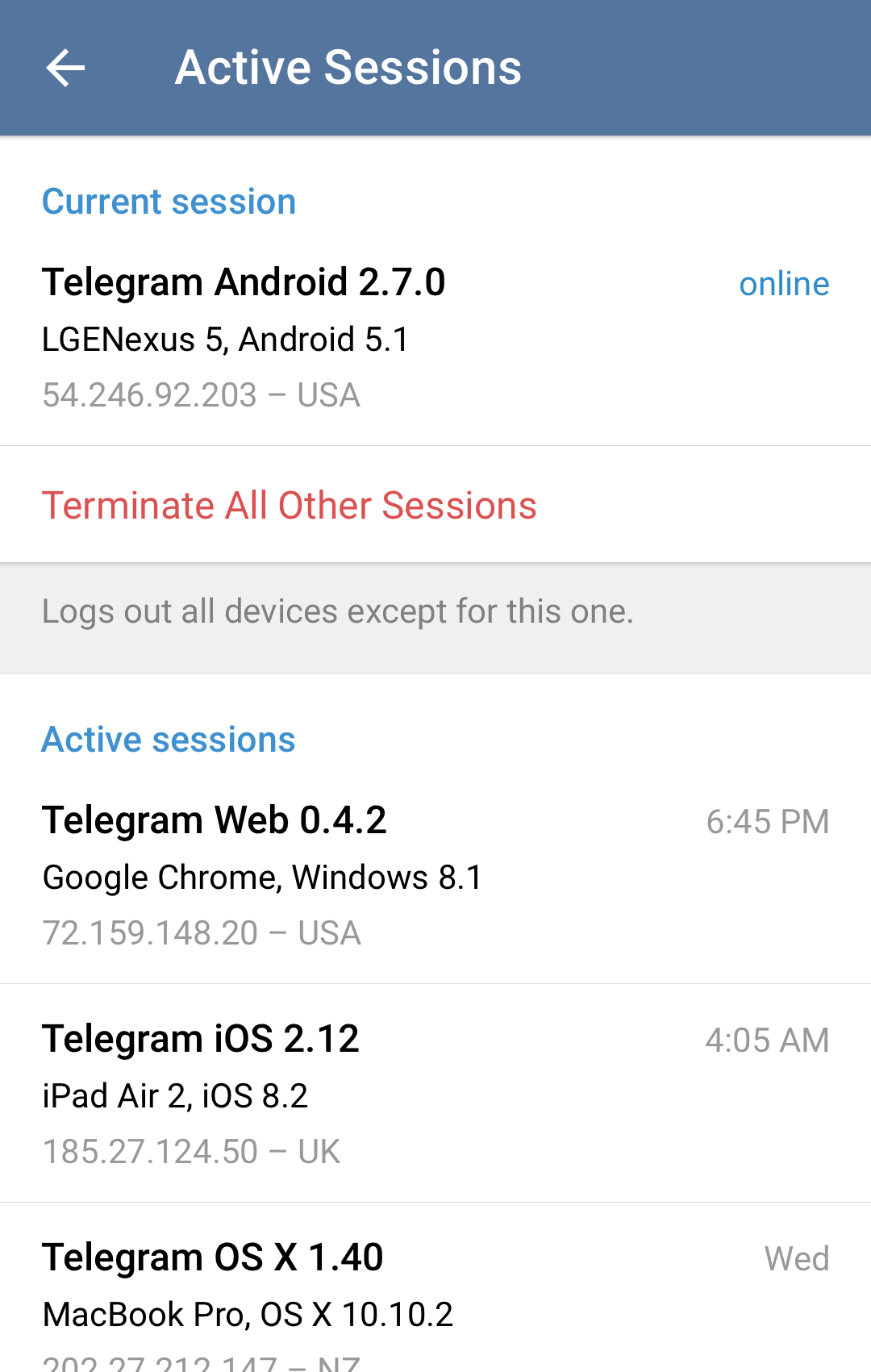
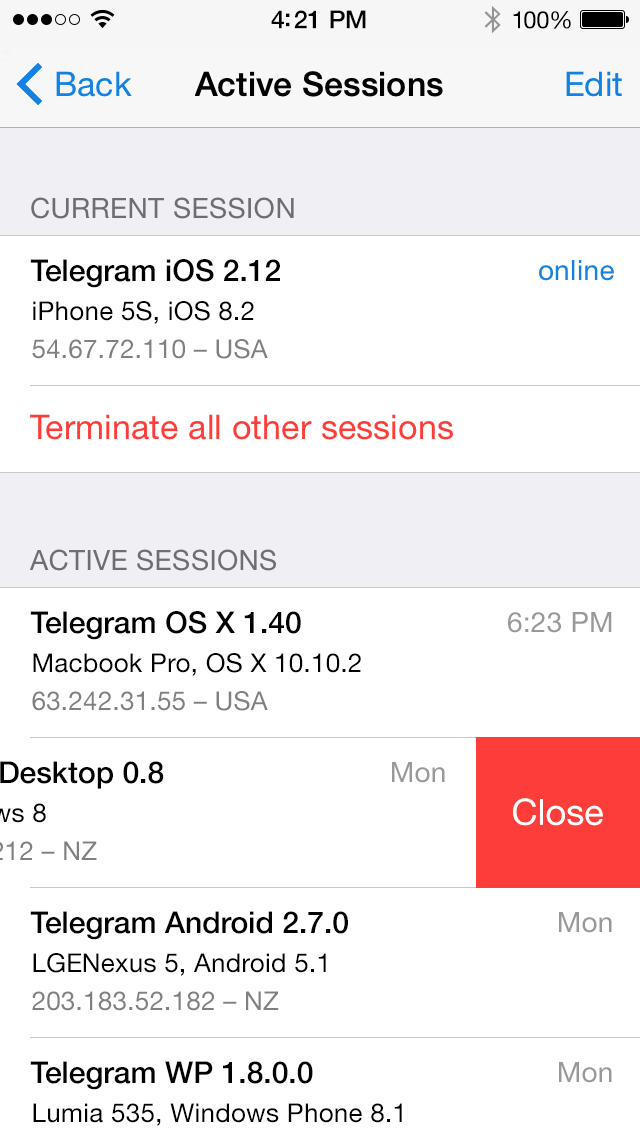
به قسمت setting تلگرام خود بروید. گزینه privacy and security را انتخاب نمایید و بعد گزینه active sessions را بزنید. صفحه ای باز می شود که تعداد دستگاه هایی که با خط شما در حال استفاده از تلگرام هستند را نمایش می دهد اونها و حذف کنید.
روش دوم :
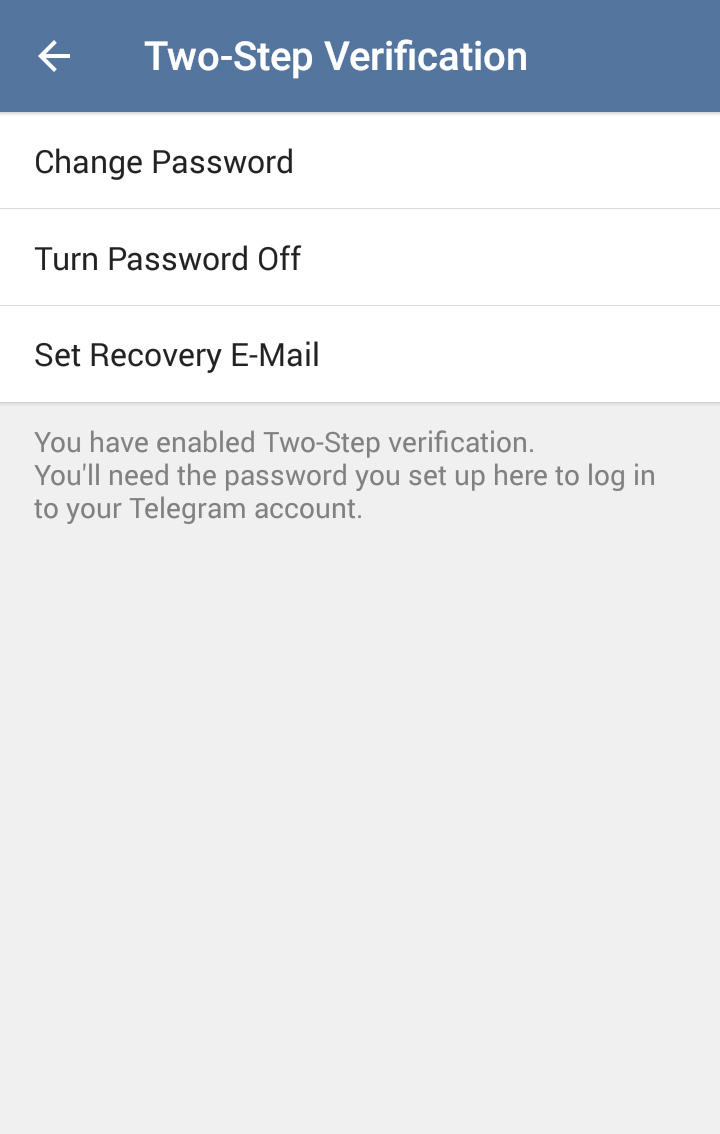
فعال سازی تایید دومرحله ای (two-step verification)
برای فعال سازی از منوی Settings به Privacy and security بروید و در آن جا منوی two-step verificationرا انتخاب نمایید.
برای فعال سازی دکمه را روشن نمایید.
در این بخش رمز عبوری وارد نمایید که به هیچ وجه فراموش نمی کنید و از این بابت مطمئن هستید.
پس از وارد کردن رمز بر روی next کلیک نمایید. همچون تصویر زیر به مرحله Password hint می رسید. در این مرحله چیزی را وارد نمایید که باعث می شود بدانید رمز عبورتان چه بوده است و دیگران از آن متوجه رمز عبور شما نشوند.
با زدن بر روی Next به مرحله بعدی یعنی Recovery E-mail بروید.
در این مرحله ایمیل اصلی تان را وارد کنید و سپس Done را بزنید ولی اگر نمی خواهید ایمیلی وارد کنید بر روی Skip کلیک کنید که ما این را توصیه نمیکنیم؛ چرا که در صورت فراموشی رمز عبور، با ایمیل میتوان به آن دست پیدا کرد
اکنون به ایمیل تان بروید و بر روی لینکی که فرستاده است کلیک کنید.
پیغام موفقیت آمیز بودن فعال سازی امنیت دو مرحله ای را در صفحه باز شده خواهید دید. از این به بعد به راحتی میتوان گفت هک اکانت شما چه از طریق بدافزار چه از طریق دیگر غیرممکن خواهد بود.
Active Sessions and Two-Step Verification
 Two-Step Verification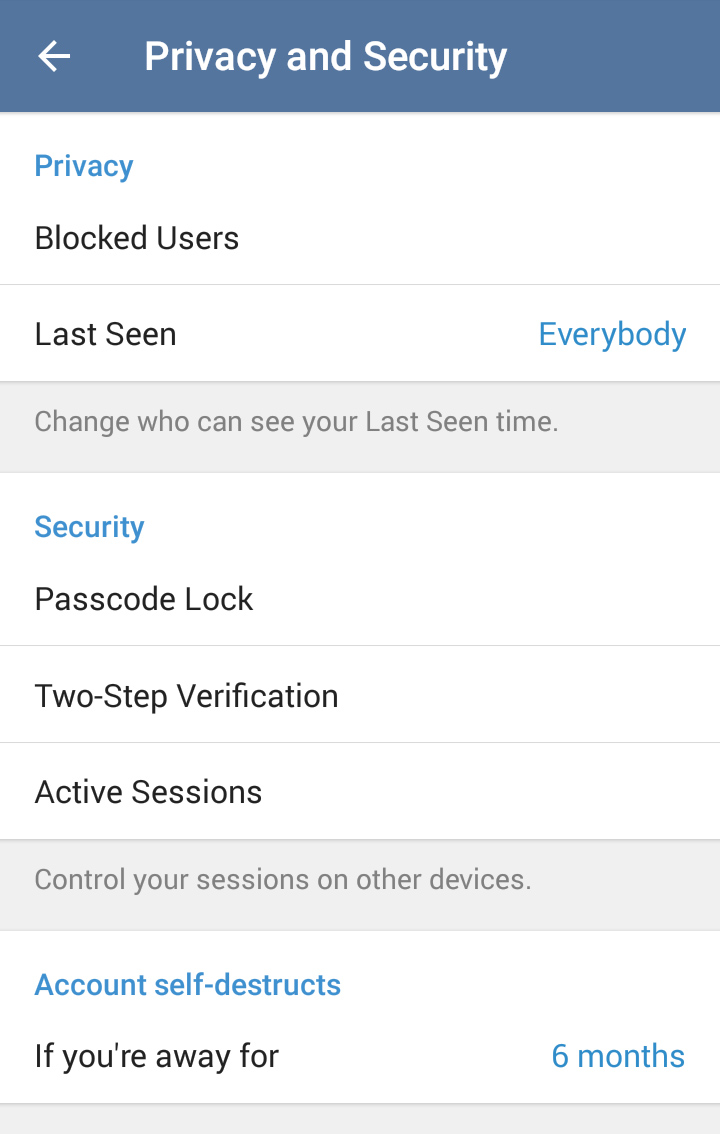
We know you love Telegram for its seamless multi-device sync. And since there are native Telegram apps for all major mobile, tablet and desktop OSs, a lot of you folks must be logged into your Telegram accounts from several devices at once.
Today's Telegram update, in addition to rich link summaries, adds Active Sessions to your Privacy and Security settings. This screen shows all your logged in devices with IP info. You can also close any sessions that are outdated or (God forbid!) suspicious.
Another addition to the Privacy and Security section is Two Step Verification. It allows you to set up a password that will be required every time you log into your account from a new device – in addition to the code you get in the SMS.
Be careful though: if you forget this password, you won't be able to access your messages from other devices. We recommend setting up a recovery e-mail or at least a hint for your password, if you decide to turn on Two Step Verification.
برچسب: روش های جلوگیری از هک تلگرام,
نویسنده: حسین پاکدل